
CoffeeMat app
Pay with credit and get every 10th drink free.
Choose a drink on the kiosk display, scan the QR code in the app and pay with credit or your subscription. It works at both MatchaMat and CoffeeMat kiosks.
Free for iPhone with iOS 15 or later and for Android 7.0 or later.
How it works
Four steps at the kiosk.
Choose a drink
Tap the drink you want on the kiosk display.
Wait for the QR code
The kiosk shows a QR code for your order.
Scan it in the app
Open the CoffeeMat app and tap Scan.
Confirm the order
Your drink starts brewing, and the app shows how it is going.
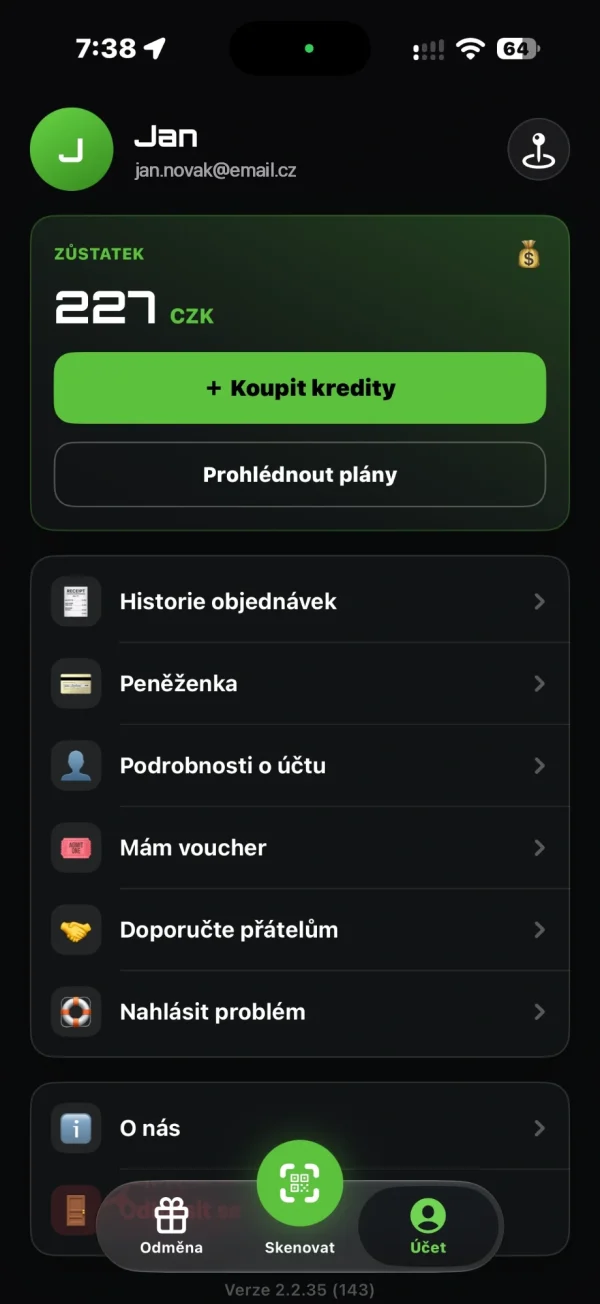
To pay with the app, you need credit, an active subscription or a company limit. You can also pay by card at the kiosk without the app.
Credit
Top up credit and pay without a card.
Top up credit right in the app – from CZK 50 to CZK 10,000 in Czechia, or in euros in Slovakia. Selected packages give you extra credit when you top up.
Credit doesn’t expire
Credit you have paid for stays in your account until you spend it.
CZK and EUR
In Slovakia, you pay in euros. Euro credit is kept separately.
Payment overview
You’ll find every top-up and payment in your wallet history.
Loyalty
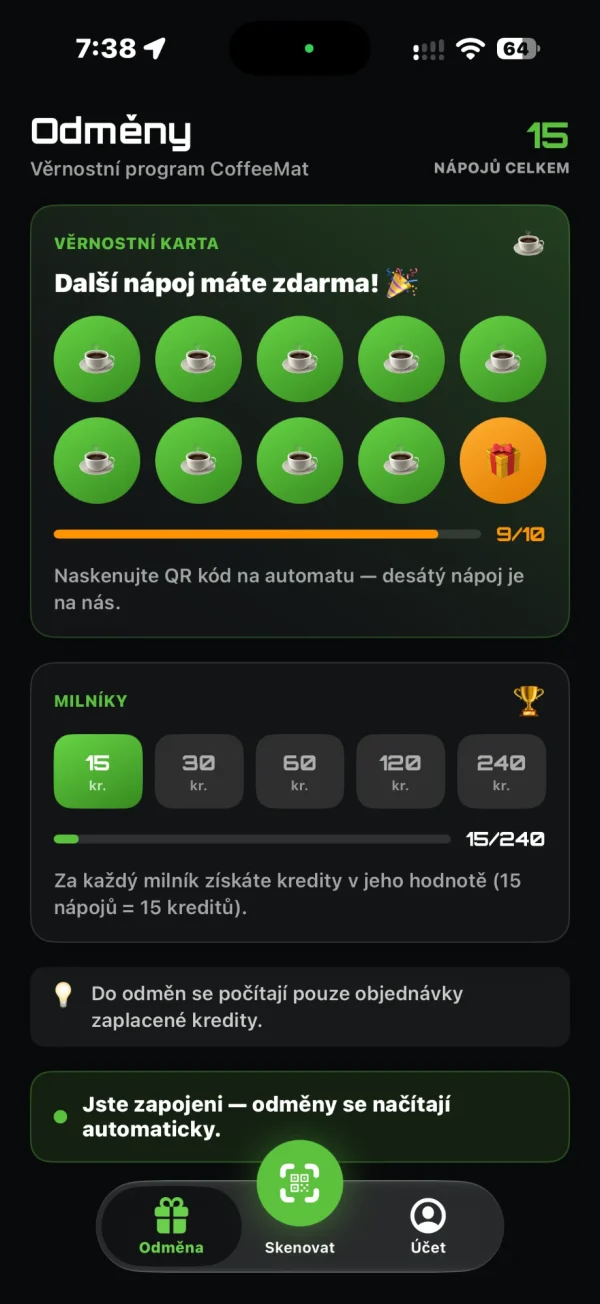
Every 10th drink paid with credit is free.
The loyalty card in the app fills up on its own. Only orders paid with credits count towards rewards.
Milestones
At 15, 30, 60, 120 and 240 drinks, we add bonus credit to your account.
Subscriptions
Drink regularly? A subscription pays off.
Use your subscription for any drink at MatchaMat and CoffeeMat kiosks. You pay by card, and it renews every month.
Sip Pass
10 drinks a month
CZK 490 a month
€19.99 in Slovakia
Ritual Pass
20 drinks a month
CZK 890 a month
€36.99 in Slovakia
Daily Pass
1 drink a day
CZK 990 a month
€39.99 in Slovakia
Prices in the app as of November 2026. You can cancel a subscription anytime in the Subscription section of the app; the minimum term is 1 month.
Vouchers
Credit or a subscription as a gift.
Buy a gift voucher at voucher.coffeemat.cz (the shop is in Czech and Slovak). It arrives by e‑mail, and the recipient redeems it in the app under Account → I have a voucher. It must be redeemed within 12 months of payment.
In the app
What else the app can do.
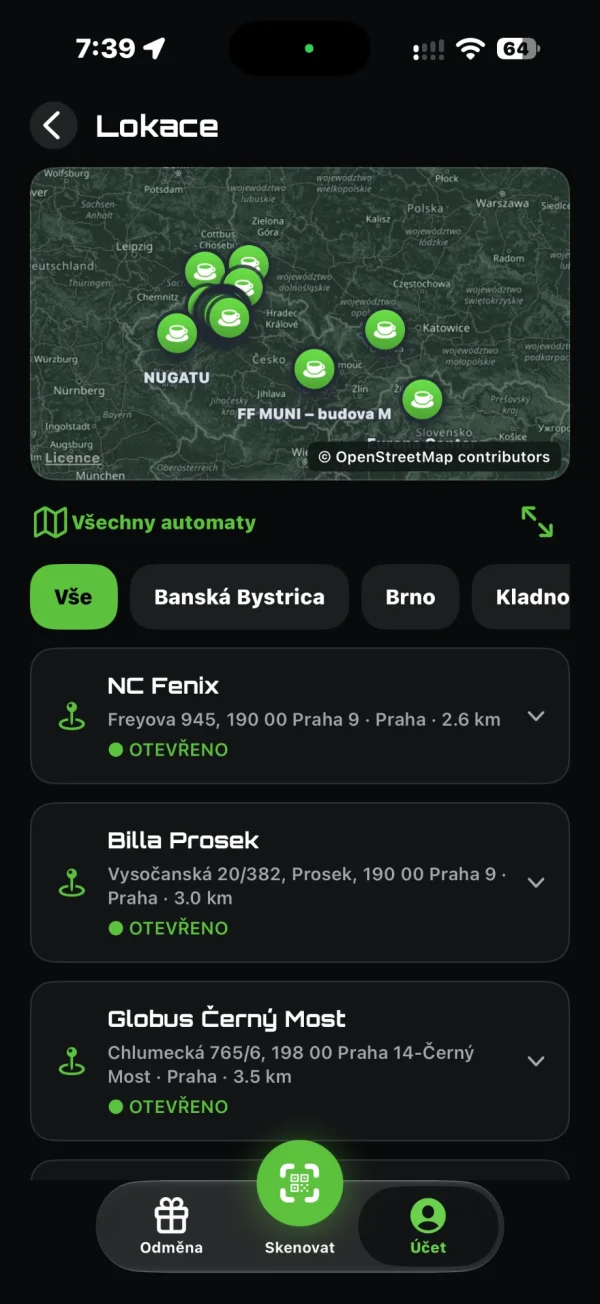
Kiosk map
Kiosks with address, opening hours and directions. You can browse them without signing in.
Purchase history
Orders, top-ups and payments in one place.
Report a problem
Report a problem with an order right in the app. We reply to the e‑mail address of your account.
Refer a friend
You’ll find your referral code in the app. When a friend buys a subscription with it, we add credits to your account.
Company accounts
Employees get drinks on a company limit, and the company receives one invoice a month.
For businessSign-in
With e‑mail, Apple or Google.
Common questions
Questions we often get.
Do I need the app to buy a drink?
No. You can pay by card, phone or watch on the kiosk’s terminal. The app is handy for credit, subscriptions and the loyalty program.
At which kiosks does the app work?
At both MatchaMat and CoffeeMat kiosks. One account works for both concepts.
Does credit expire?
No. Credit you have paid for in the app does not expire.
How do I cancel my subscription?
Anytime in the Subscription section of the app. The minimum term is 1 month.
Can I pay in euros?
Yes. At kiosks in Slovakia, you pay in euros. Euro credit and subscriptions are kept separately.
What if the kiosk doesn’t dispense my drink?
Report it in the app under Account → Report a Problem, or with the form on our website. We look up the purchase and, once it is confirmed, refund it the way you paid (credit back to your app, a card payment back to your card); a drink from your subscription is not counted against your subscription.
How do I delete my account?
In the app under Account → Delete account, or at coffeemat.org/delete-account. Deletion is permanent: your subscription is canceled and you can no longer use your credit in the app. Paid credit is not forfeited, though – ideally, ask for a refund before you delete the account.
Download
Download the CoffeeMat app.
The download is free. The QR code on the kiosk display takes you straight to the app store.
The terms and conditions (in Czech) and the privacy policy are in the app and on our Documents page.